
ARCHIVE STORAGE
Make archive storage more efficient
Create compressed archive outputs using your chosen settings. Size and quality depend on source footage and the profile; keeping originals uses additional storage.
SEE Better · For editors & Resolve post teams
From camera card to approved timeline: SEE connects archive compression, camera-aware color preparation, and searchable selects so editors can focus on the cut. Verified offload and human approval keep you in control.
Explore early access. Contact us to confirm availability for your platform.
One place to set up the work ahead
PUT YOUR TIME INTO THE EDIT
For editors and production teams managing footage, color preparation, and selects before the creative edit begins.
ARCHIVE STORAGE
Create compressed archive outputs using your chosen settings. Size and quality depend on source footage and the profile; keeping originals uses additional storage.
COLOR PREPARATION
Camera-aware treatment and scene matching prepare footage for editorial work. Keep final creative grading and approval in your hands.
SELECTS & SEARCH
Search indexed footage and local transcripts, then use Broll and Soundbite Selects to prepare the cut. Review proposed work before building.
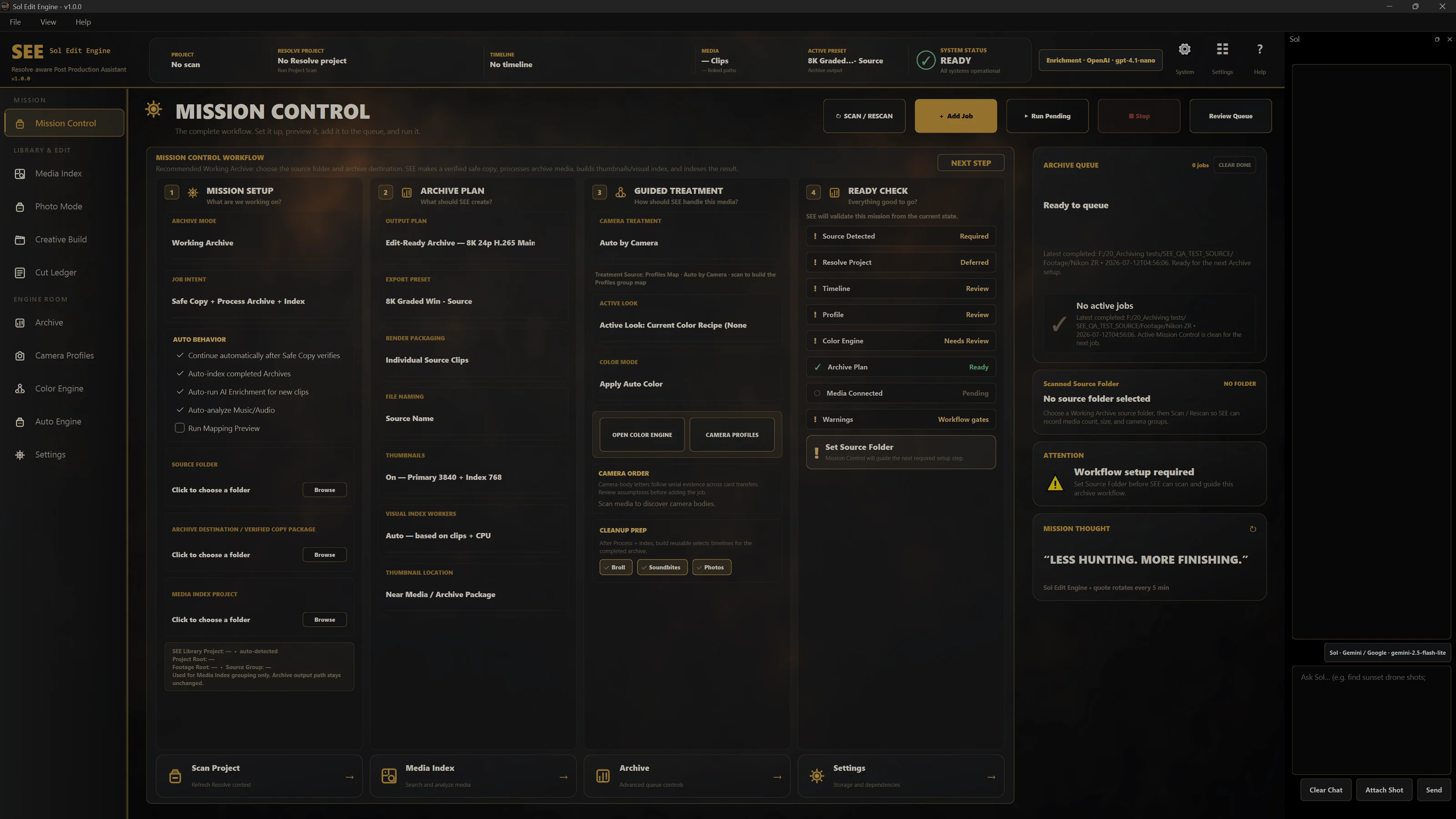
REAL PRODUCT PROOF
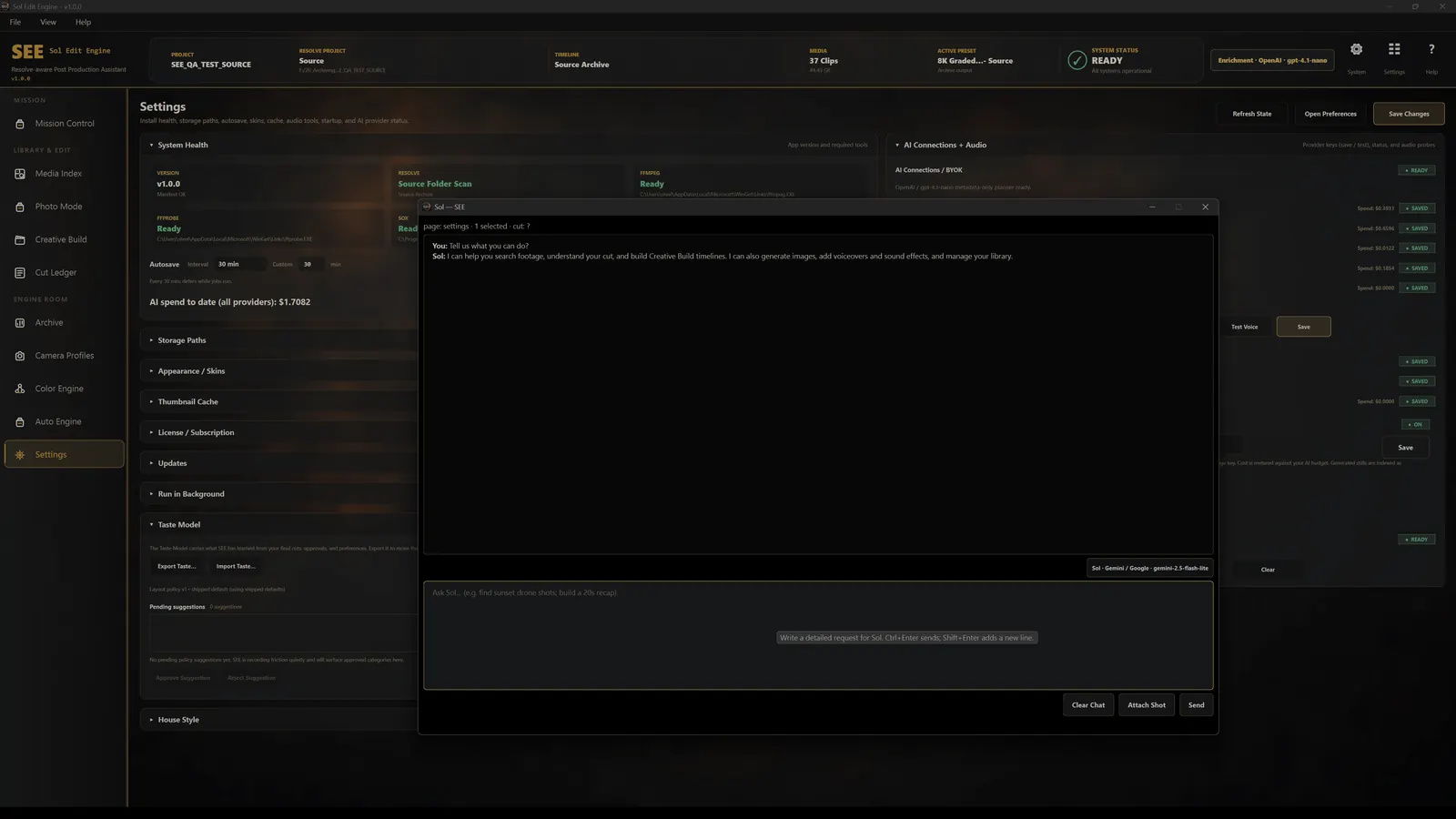
These are real SEE interfaces, not conceptual mockups. Follow the job from Mission Control through archive, search, preparation, build, and Sol.
CARD TO TIMELINE
SEE starts where footage enters post and stays with it until approved work reaches Resolve.
PRICING & ACCESS
A founding offer for the editors and teams who join SEE early. Proposed early-access pricing. Contact us to confirm availability for your workflow.
PROPOSED FOUNDING OFFER · FIRST 1,000 CUSTOMERS
$50/ month
The proposed monthly rate for the first 1,000 customers.
Ask about early accessPROPOSED STANDARD PRICING · AFTER THE FIRST 1,000
$75/ month
The proposed monthly rate after the founding offer.
Ask about early accessAN ILLUSTRATIVE VALUE COMPARISON
At an editing rate of $75/hour, one hour saved and put toward billable client work would cover the proposed $75/month subscription.
Actual time saved depends on your footage and workflow. This example assumes that saved time becomes paid work; it is not a measured result or an earnings guarantee.
Resolve project and timeline workflows require DaVinci Resolve Studio. Check workflow requirements.
Optional provider-backed features use your own AI keys and may incur provider charges. No payment is required to inquire. We’ll confirm availability and final offer details before purchase; an inquiry does not reserve a founding place.
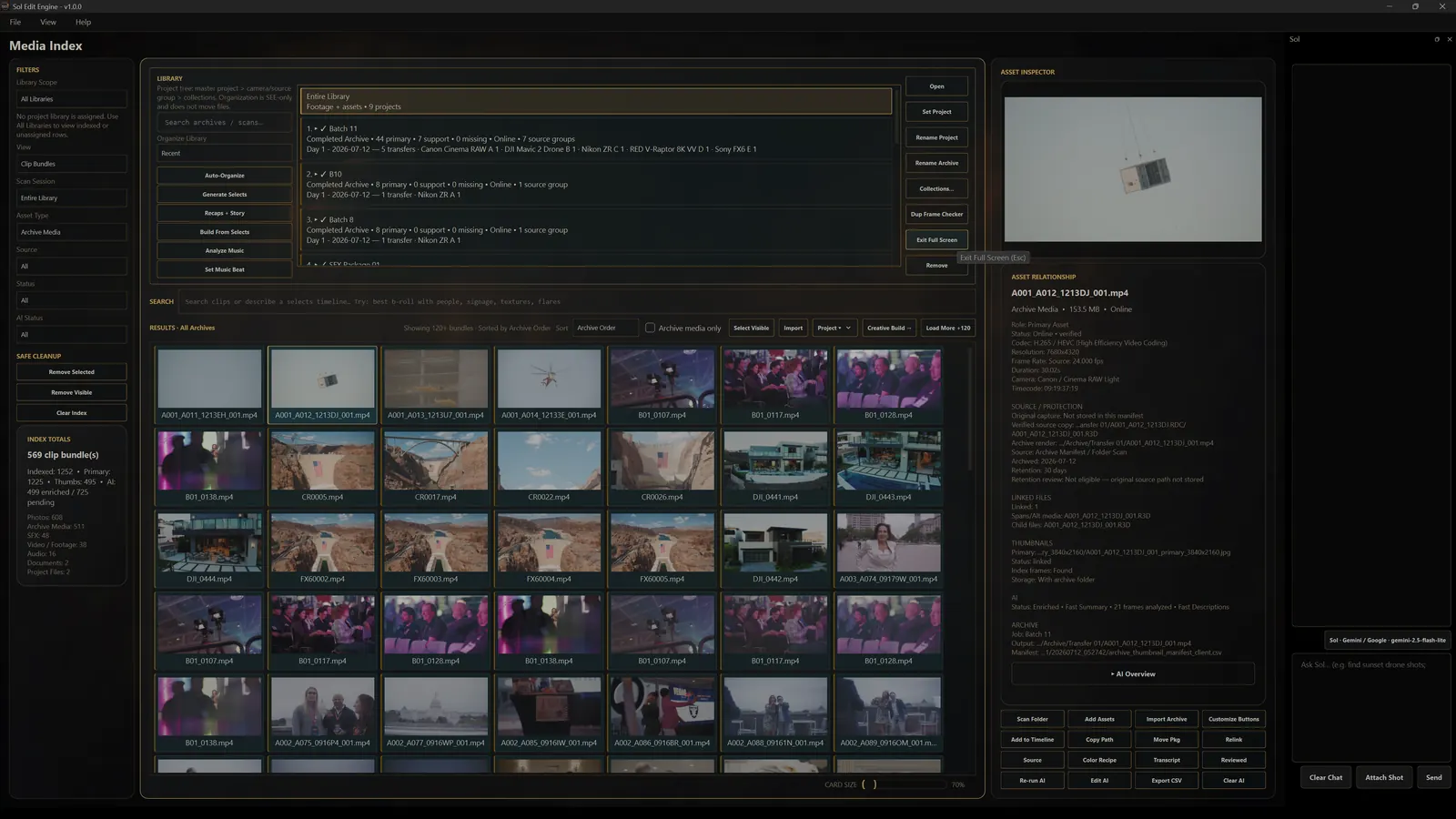
FOOTAGE INTELLIGENCE
Search indexed footage in natural language, inspect the source asset, and move useful moments into selects and editorial work. Local transcription supports spoken-word search; optional supported providers can add semantic descriptions under your own key and spend controls.
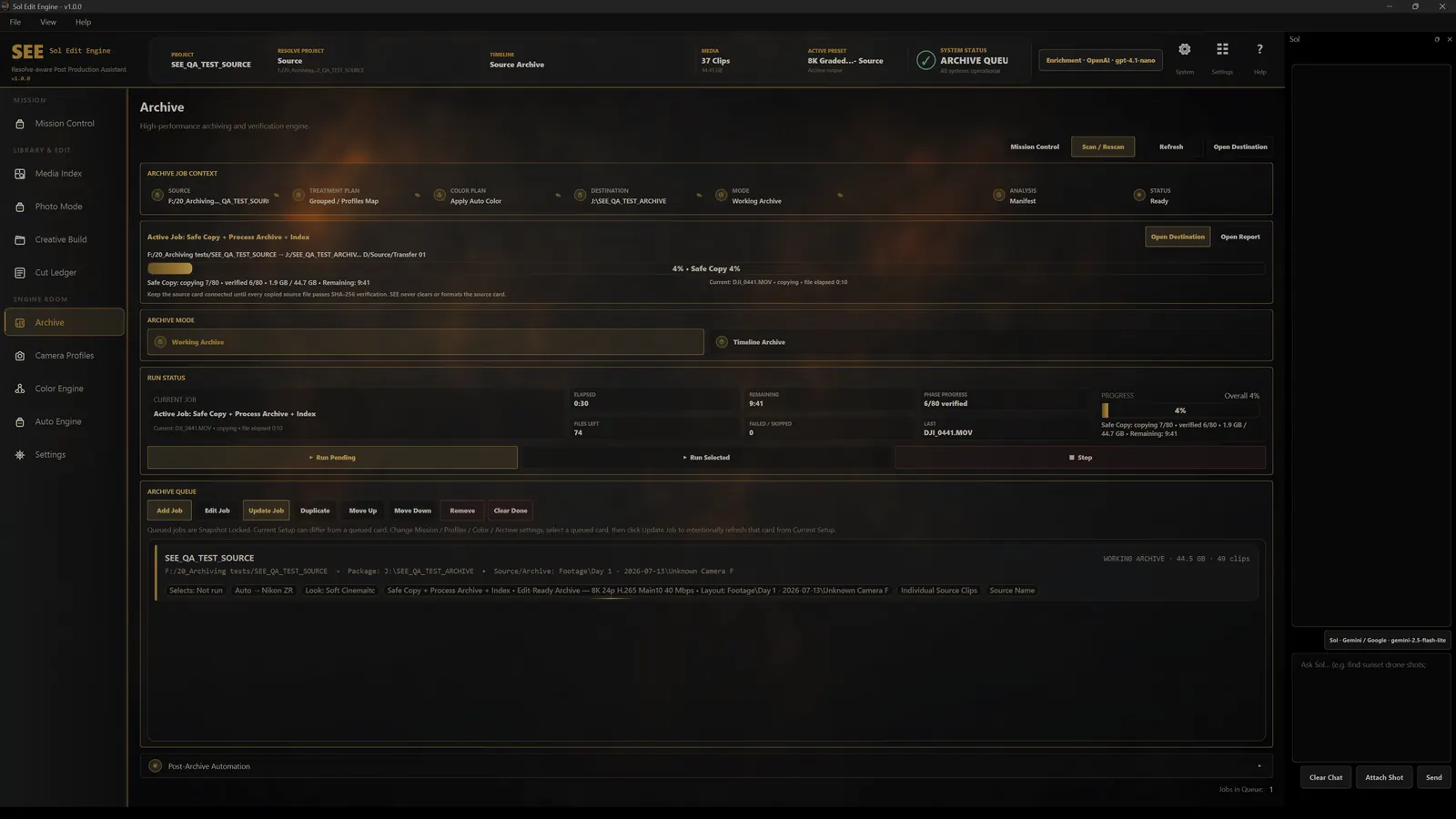
SOURCE SAFETY
Safe Copy protects the selected Source Folder with checksum verification before heavier processing begins. SEE reports a verified copy and an explicit safe-to-eject state. Source media is not modified; archive work is additive.
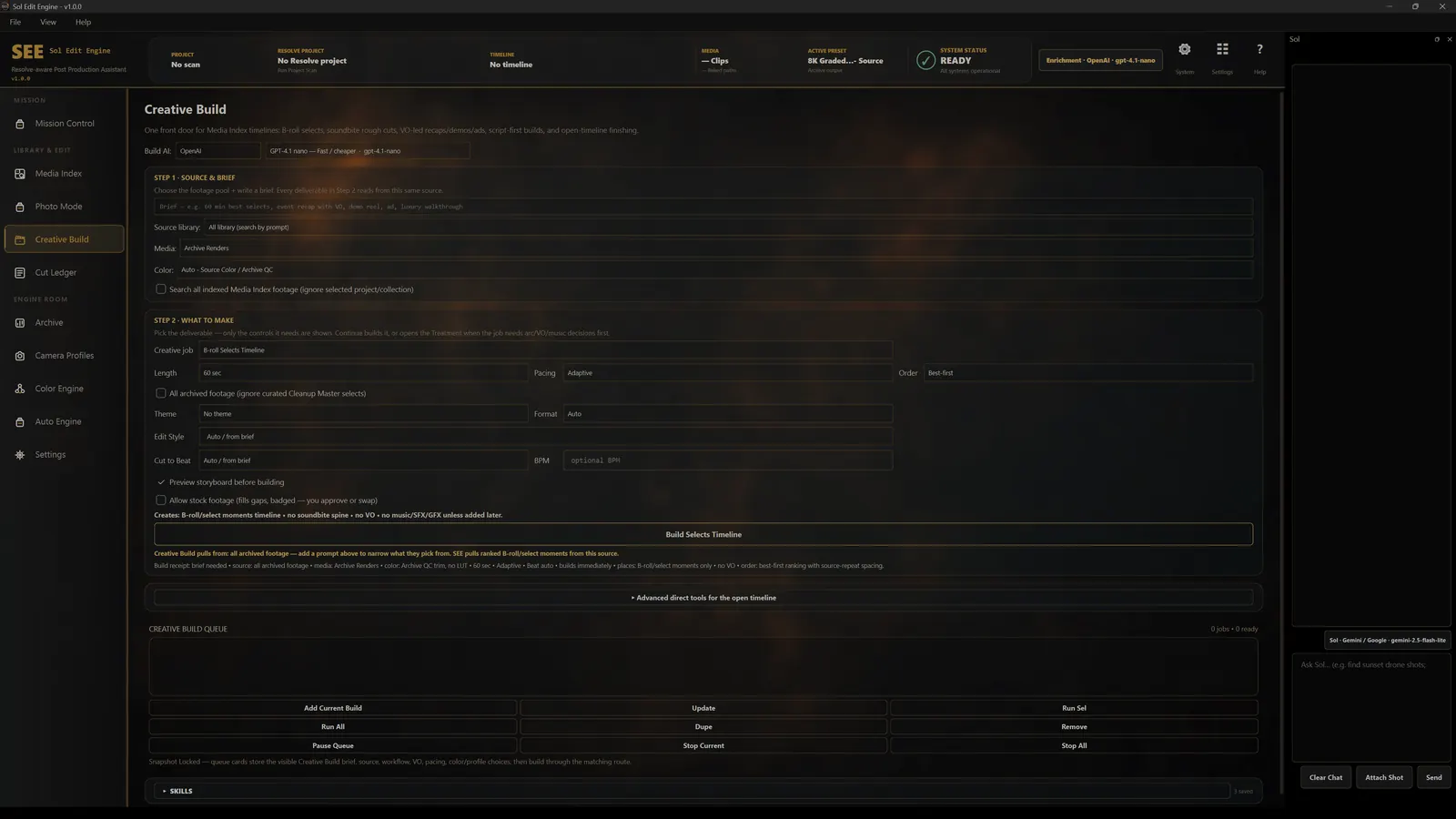
RESOLVE EXECUTION
Creative Build combines indexed footage with an approved brief, previews the proposed shape, and prepares supported timeline output. Sol can operate the workflow while preserving confirmation gates.
THE APPROVAL MODEL
Auto Engine can prepare proposals for the Review Queue. Approval creates the next Creative Build job; it does not silently render, publish, upload, or delete. The operator deliberately runs consequential work.
LOCAL-FIRST CONTROL
SEE is designed around local project storage, local workflow records, and local transcription. Optional provider-backed actions use keys you supply, show provider cost context, and support spend controls.
Read the data boundaries →Footage and archive output remain on drives you control.
Optional paid AI actions use supported credentials you provide.
Paid provider actions surface cost context and spend controls.
Irreversible or consequential work requires deliberate confirmation.
REQUIREMENTS & AVAILABILITY
Required for workflows that read or build Resolve projects and timelines.
No copy, transcode, or Resolve project is required for this mode.
Confirm OS, Resolve, hardware, and feature availability for your build with us before planning production use.
FAQ
For deeper workflow and support answers, visit the Support Center.
Windows is not ready for release. Contact us to confirm Mac access, system requirements, and the workflows supported on your setup.
Safe Copy is additive. SEE copies the selected Source Folder and checksum-verifies the protected copy before heavier processing. Source media is not modified.
No. Index Only can catalog existing processed archive media without copying, transcoding, or requiring Resolve. Workflows that read or build Resolve projects and timelines require DaVinci Resolve Studio.
SEE is designed around local footage, local project storage, and local transcription. Optional provider-backed actions may send the specific supported inputs required for that action using credentials you supply. See the Safety page for the exact boundaries.
Not for technical cataloging. Optional semantic descriptions and deeper analysis use supported provider keys you supply. SEE identifies paid actions, shows provider cost context, and supports spend controls.
Proposed work waits for human review. Approval creates the next Creative Build job; the operator still reviews that job and deliberately runs consequential work.
The proposed offer is $50/month for life for the first 1,000 customers, then $75/month. Contact us for availability and final offer details. Sending an inquiry does not create a subscription or reserve a place.
MCP · DEVELOPER INTEGRATION
SEE’s local Model Context Protocol (MCP) connector gives an assistant access to project status and existing Sol tools, helping connect SEE with a broader workflow.
READ & COORDINATE
Read project and queue status, open an existing SEE project, discover available Sol tools, and track asynchronous jobs.
EXISTING CONTROLS
Keep approval in your workflow. Actions that require confirmation still wait for approval.
Currently available as a developer integration. Ask us about access, supported clients, and compatibility with your setup.
Explore SEE’s MCP capabilities →SEE BETTER · KEEP THE EDITOR IN CONTROL
Tell us about your footage and your post-production workflow. See how verified ingest, search, and approved Resolve work fit your team.
Prefer email? Sales@soleditengine.com